Cron job monitoring: catch missed and failed jobs
Cron job monitoring means the job reports in each time it runs and something alerts you when the report is late, says it failed, or never comes. Errors alone can't catch a job that never started. In Sentry Crons the job sends an in_progress check-in at the start and ok or error at the end; Sentry marks a run missed when no check-in arrives within the schedule plus checkin_margin, and failed when it runs past max_runtime. As of November 2026 every Sentry plan includes one cron monitor, and extra monitors cost $0.78 each from a pay-as-you-go budget.
Steps
- Pick a monitor slugName the monitor after the job, for example nightly-invoices, and use the same slug everywhere the job checks in.
- Wrap the jobUse @monitor in Python, Sentry.withMonitor in Node, sentry-cli monitors run, or two curl check-ins around the command.
- Pass the schedule from codeInclude schedule, timezone, checkin_margin and max_runtime so the monitor is created or updated on the first check-in.
- Set thresholds and an ownerChoose failure_issue_threshold and recovery_threshold, and assign the monitor to a team so its issues have an owner.
- Prove it alertsStop the job once, or make it exit with an error, and confirm the missed or failed issue and its notification arrive.
Why cron jobs fail silently
A failing web request leaves an error and an angry user. A cron job that doesn't run leaves nothing at all, and you find out when the invoices don't go out. In rough order of how often they happen:
- The job never ran. The crontab was lost in a redeploy, the host was replaced, the scheduler pod was scaled to zero, or a syntax error disabled the line.
- It ran and crashed, with output going to
/dev/nullor an unreadMAILTO. - It hung on a lock, a network call with no timeout, or a stuck query, and never finished.
- It "succeeded" without doing the work: an exception was caught and logged, then the script exited 0.
- It ran at the wrong time: the server's timezone changed, or a daylight saving shift skipped or doubled a run.
Only the second case leaves an error you could alert on. The rest need monitoring that alerts on absence: expect a signal on a schedule and alert when it doesn't arrive. That is how a cron monitor (a "dead man's switch") works.
The check-in model: in_progress, ok, error, missed, timeout
Sentry Crons tracks each run through check-ins. You send the first three statuses. Sentry derives the last two from the schedule:
| Status | Who sets it | Meaning |
|---|---|---|
in_progress | Your job, at start | The run began |
ok | Your job, at end | The run finished successfully |
error | Your job, at end | The run reported a failure |
| missed | Sentry | No check-in arrived within the expected time plus checkin_margin |
| failed (timeout) | Sentry | An in_progress check-in got no final check-in within max_runtime |
A heartbeat, a single ok at the end, only catches missed runs. Send both check-ins if you also want to catch hangs. Missed and failed runs create an issue tagged with the monitor, assigned to the monitor's owner (a team or member) if it has one. Errors your SDK captures during the run show up on the monitor too.
Limits worth knowing: the shortest schedule is one minute, each monitor environment accepts 6 check-ins per minute (extra ones may be dropped), and check-ins are kept for 90 days.
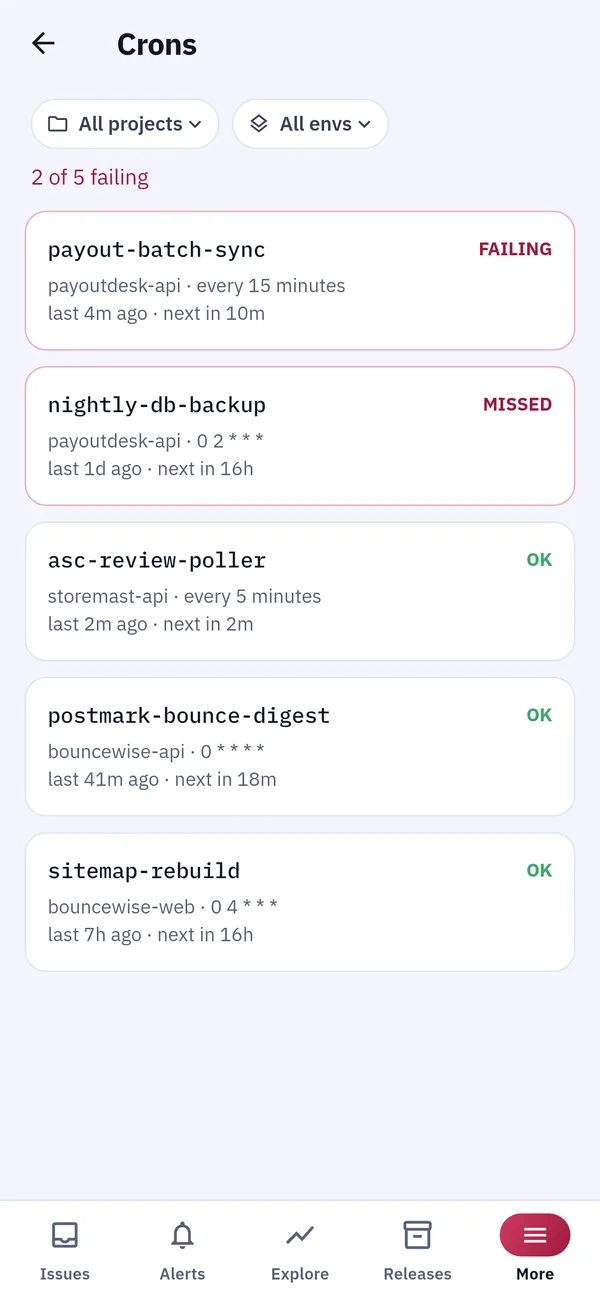
Monitor settings, with a worked example
| Setting (HTTP / Python) | Node | sentry-cli | Meaning |
|---|---|---|---|
schedule | schedule | --schedule, -s | {"type": "crontab", "value": "0 2 * * *"} (five fields) or {"type": "interval", "value": 2, "unit": "hour"} |
checkin_margin | checkinMargin | --check-in-margin | Grace period in minutes before a run counts as missed |
max_runtime | maxRuntime | --max-runtime | Minutes a run may stay in progress before it fails as timed out (up to 10080) |
timezone | timezone | --timezone | tz database name, such as Europe/London |
failure_issue_threshold | failureIssueThreshold | Consecutive failed check-ins before an issue opens | |
recovery_threshold | recoveryThreshold | Consecutive ok check-ins before the issue resolves |
Example: a nightly invoice job runs at 02:00 London time and usually takes 20 minutes. A good setup is 0 2 * * * with timezone: Europe/London, checkin_margin: 10 (the scheduler sometimes starts late), max_runtime: 60 (three times the normal runtime) and both thresholds at 1, because one missed invoice run is already an incident. For a job that runs every minute and fails now and then, raise failure_issue_threshold to 3 or 5 so a single blip doesn't page anyone. The interval schedule unit can be minute, hour, day, week, month or year.
Set it up: SDK, sentry-cli or HTTP
Pass the config from code and Sentry creates or updates (upserts) the monitor on the first check-in, so the schedule lives in version control next to the job. In Python (SDK 1.45.0 or later for monitor_config):
from sentry_sdk.crons import monitor

monitor_config = {
    "schedule": {"type": "crontab", "value": "0 2 * * *"},
    "timezone": "Europe/London",
    "checkin_margin": 10,
    "max_runtime": 60,
    "failure_issue_threshold": 1,
    "recovery_threshold": 1,
}

@monitor(monitor_slug="nightly-invoices", monitor_config=monitor_config)
def send_invoices():
    ...
In Node, Sentry.withMonitor("nightly-invoices", () => sendInvoices(), monitorConfig) does the same (SDK 7.76.0 or later; the thresholds need 8.7.0). Sentry.cron.instrumentNodeCron, instrumentCron and instrumentNodeSchedule wrap the node-cron, cron and node-schedule libraries. For Celery Beat, set monitor_beat_tasks=True on CeleryIntegration, and don't also add @monitor to those tasks or you instrument them twice.
For any other language or a shell script, use sentry-cli (v2.16.1 or later, authenticated with the project DSN):
export SENTRY_DSN=https://<key>@o<orgId>.ingest.sentry.io/<projectId>
sentry-cli monitors run -s "0 2 * * *" --timezone Europe/London \
  --check-in-margin 10 --max-runtime 60 nightly-invoices -- ./send_invoices.sh
Or plain HTTP from anything that can run curl:
SENTRY_CRONS="https://o<orgId>.ingest.sentry.io/api/<projectId>/cron/nightly-invoices/<publicKey>/"
ID="$(uuidgen)"
curl "${SENTRY_CRONS}?check_in_id=${ID}&status=in_progress"
./send_invoices.sh && S=ok || S=error
curl "${SENTRY_CRONS}?check_in_id=${ID}&status=${S}"
Passing your own check_in_id keeps overlapping runs apart. Check-ins without environment go to production.
Alerts, muting and what Sentry Crons costs
As of November 2026 every Sentry plan includes one cron monitor. Additional monitors cost $0.78 per monitor on Team and Business and can only be paid from a pay-as-you-go budget, which only paid plans have. At the start of each billing period Sentry re-checks active monitors and may deactivate some if the budget doesn't cover them. Deactivating or deleting a monitor frees its quota for reuse within the same period.
Muting is not deactivating. A muted monitor still costs money. Sentry marks a monitor environment as broken after 14 days of only missed, timed-out or failed check-ins and emails the owner, and mutes it after another 14 days. Pausing stops check-in recording and notifications but never stops the job itself. To scope notifications to one environment, set the alert's environments and filter on monitor.slug.
The mistake people make next: they test the monitor with -e dev from a laptop and then stop. Each environment is tracked on its own row, and after a check-in from an environment you must keep checking in on schedule or delete that environment, otherwise it will be marked missed.
Habits that make any cron job safer
- Report success last. Send
okonly after the work is committed, and let exceptions reach the wrapper instead of catching and logging them. - Make jobs idempotent. A retry or a double run should do nothing harmful. Use "send invoices not yet sent for 2026-11-26", not "send invoices".
- Prevent overlap with a lock (
flock, a database advisory lock) when a run can last longer than the interval. - Schedule in UTC where you can. In local time, a 02:30 job is skipped on the night clocks go forward and a 01:30 job can run twice when they go back. If the job must follow local time, set the monitor's timezone to match the scheduler's.
- Give every network call a timeout so a hang becomes an
errorrather than a long silence that onlymax_runtimecatches.
Questions
What is the difference between a heartbeat and a check-in monitor?
A heartbeat sends one ok when the job finishes, so it only catches runs that never happened. Sending in_progress at the start and ok or error at the end also catches jobs that hang past max_runtime.
How much does Sentry cron monitoring cost?
As of November 2026 each plan includes one cron monitor, and each additional monitor costs $0.78 on Team or Business, paid from a pay-as-you-go budget. Muted monitors are still billed; deactivate or delete them to stop paying.
Can Sentry monitor a job that runs every 30 seconds?
No. The shortest schedule Sentry Crons supports is one minute, and each monitor environment accepts up to 6 check-ins per minute.
Why is my monitor missed when the job ran?
Usually the timezone or margin is wrong, the check-in went to a different environment or slug, or an outbound firewall blocked the request to the ingest host.
Sources
- Set Up Cron Monitoring with HTTPdocs.sentry.io
- Set Up Crons for Pythondocs.sentry.io
- Sentry CLI Cronsdocs.sentry.io
- Manage Your Cron and Uptime Monitorsdocs.sentry.io